Cloud migration FAQs

Cloud migration FAQs
Cloud migrations have been a big deal over the past couple years, as thousands (if not millions) of companies did a fast pivot to remote work during the COVID-19 pandemic. Some companies are still playing catch-up, though. If you’ve heard about cloud migrations, but aren’t sure how they work, we’ve got the information you’re looking for. Read on to get answers to all your cloud migration FAQs.
So, what exactly is a cloud migration?
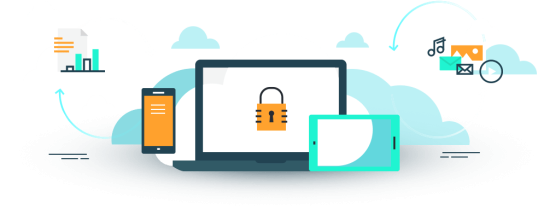
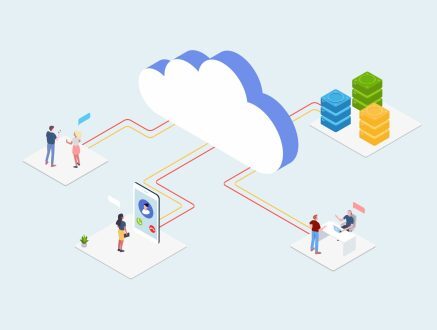
A cloud migration is a one-time process of moving your data from your local, in-house servers onto data centers distributed around the world. Once this takes place, you access your data through the internet instead of a computer network located at your office. Storing your data on the cloud makes it more secure, more accessible, and editable by your entire team, from anywhere there’s a reliable internet connection.
Why would a company need to move their data to the cloud?
 Companies opt for cloud migrations for a variety of reasons. In some cases, they’re looking to eliminate the expense and upkeep of maintaining in-house servers. In other cases, they’re transitioning to a remote work, WFH (work-from-home), or hybrid work models, and they need their staff to be able to seamlessly collaborate on projects.
In other instances, companies are seeking to protect themselves from data loss due to an emergencies such as flood, fire, hurricane, equipment failure, or even theft, hacking, or ransomware attacks. In the case of any one of these emergencies, data that’s stored in the cloud can be easily restored, whereas data stored locally is sometimes irretrievable.
How does a cloud migration work?
Here’s the process we use for a typical cloud migration:
Phase 1: Analysis of your data needs
 We examine the type and size of your data and ask questions about how that data will be utilized. For example, do you share the data with employees outside of the company? Do you collaborate with partners or share this data externally with clients, and how do you accomplish that? What tasks or features are you not achieving with your local data setup? What are your current pain points in the area of data sharing, collaboration, and storage?
Next, we match the data to an appropriate cloud solution — based on your current needs, budget, and goals for the future. We then provide you with recommendations and conduct an online demo to convey the proposed solution(s). Upon your approval, we commence the actual migration.
Phase 2: Mapping, preparation, and upload
During this phase of your cloud migration, we request a list of users and access permissions to your stored data. We then conduct any necessary data backups to ensure all information is stored safely and protected from data loss. Finally, we use secure, encrypted tools to upload your data to the chosen cloud solution.
Phase 3: Testing and training
In Phase 3, we test and confirm to make sure the uploaded data matches the original file-count. We submit a testing account to one of your team members to test the cloud-based solution and check for any discrepancies. We conduct a mini-training of your staff to educate them on how to access and manage their data in the new location.
Phase 4: Cutover day and follow-up
 At last we’ve reached cutover day! This is the point where we convert the server from test to production and go live. We decommission the old system, which can be retained for a short time as an additional backup.
We remain available to assist with any troubleshooting or unforeseen issues. For those who sign up for monthly maintenance and support, we can stay involved, or you can choose to move forward independently. The goal is a total handover so your team can be equipped to manage their own systems on the cloud.
What types of data are good candidates for a cloud migration?
Ideal kinds of data for a cloud migration include data that’s stored locally on an in-house server, email stored on a local Microsoft Exchange server, a web application that runs locally (such as a CRM system or an accounting system), and a local phone system.
Why should I hire LimeTech for my cloud migration project?
 We’ve conducted cloud migrations for dozens of businesses of all sizes — often under the pressure of tight deadlines. Our deep experience with cloud migrations saves you time and reduces headaches.
Many of our high-tech startup clients built their IT infrastructure on the cloud long ago, so we we are quite familiar with all kinds of serverless architecture. Other clients have made the transition over time, slowly adopting the cloud as various needs arose. Clients with data already on the cloud were able to weather the COVID-19 transition to remote work with greater ease and resiliency.
Depending on the needs of your team, we can do a total cloud migration or we can create a hybrid setup, whereby your data is backed up both locally and to the cloud, ensuring redundancy at various levels of your data storage arrangement. You might be surprised by how affordable the process can be, especially when there are so many long-term benefits.
What kind of companies are good candidates for a cloud migration?
Answer: any of the following
- Companies of any size that are converting to remote or WFH (work-from-home)
- Companies looking to build global teams or collaborate with distant partners
- Companies looking to hire outside their region
- Companies trying to modernize their IT systems
- Companies looking to lower overall IT costs
- Companies seeking to protect their data from theft and natural disasters
If you have any additional cloud migration FAQs, please feel free to reach out, and we’ll add them to our list.
LimeTech is a creative tech company with a focus on innovation and adaptive change. We use technical know-how, design skills, and deep experience in entrepreneurship to help companies advance their business goals. Our specialties include mobile app development, website design, technology planning, and remote work solutions.